
How to Organize Invoices for Your Accountant
Use a practical invoice handoff checklist for complete documents, consistent metadata, clear exceptions, and a faster month-end close.
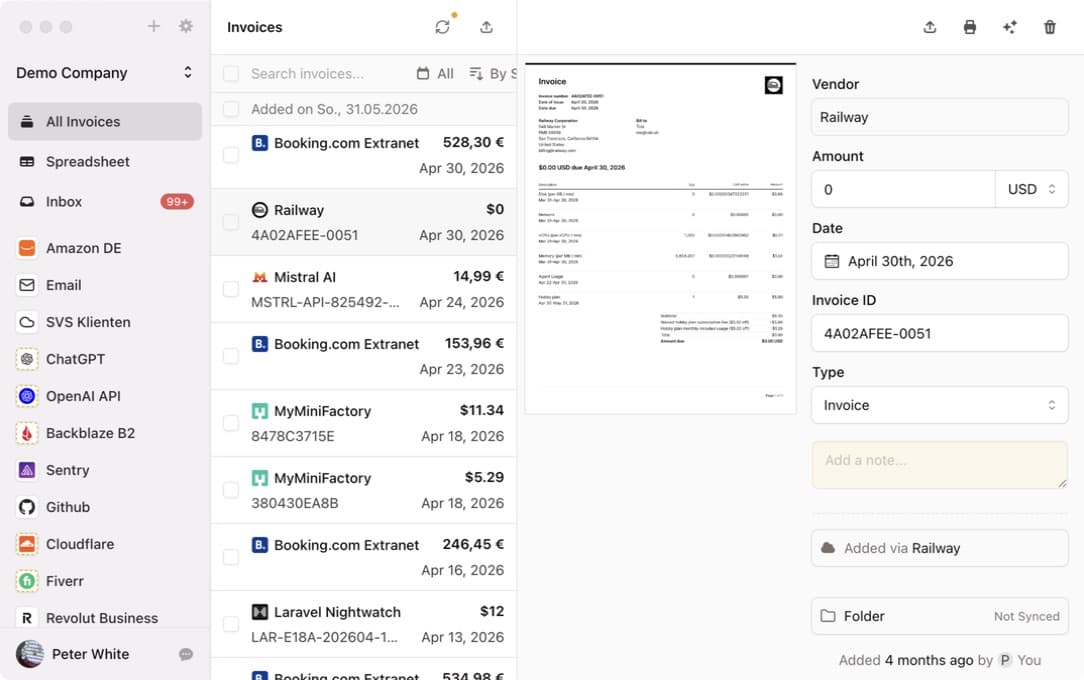
An accountant needs more than a folder full of PDFs. A clean handoff connects each source document to consistent metadata, makes exceptions visible, and uses an agreed delivery method.
The goal is not a perfect filing system. It is a repeatable month-end package that lets the accountant work without repeatedly asking which document belongs to which transaction.
Agree on the Handoff Before Organizing Files
Ask the accountant or bookkeeper five questions:
- Which documents are required: invoices, receipts, credit notes, statements, or payment confirmations?
- Which date controls the reporting period?
- Which metadata must accompany each document?
- How should corrections and missing invoices be reported?
- Which delivery method should be used?
The answers determine whether you need a folder structure, email forwarding, an accounting integration, or a structured export with CSV metadata.
Keep the Original Document and Core Fields Together
For each invoice, verify:
- Vendor
- Invoice number
- Invoice date
- Document type
- Currency
- Gross total
- Tax information required by your jurisdiction
- Related payment or card account when available
Preserve the original PDF or image. Renaming a file can help organization, but it should not replace the source document or remove information from it.
Use a Stable Folder and File Pattern
If the accountant works with files, choose one predictable structure. Examples include:
2026/09/vendor-invoice-number.pdfvendor/2026-09/invoice-number.pdf- One monthly folder plus a CSV containing vendor, date, amount, currency, and invoice ID
Avoid changing the pattern every month. Stable names help people search, reduce accidental duplicates, and make corrections easier to identify.
Invoice Radar's folder export supports customizable patterns and can save into locally synced Google Drive, Dropbox, OneDrive, iCloud Drive, or Synology folders.
Separate Exceptions From Completed Records
Create a short exception list instead of mixing unresolved items into the final handoff:
- Missing invoice
- Duplicate document
- Unclear business purpose
- Incorrect vendor or amount
- Credit note without the original invoice
- Payment that needs reconciliation
- Document waiting for employee confirmation
Include an owner and next action. The accountant can then process complete records while the team resolves the remaining items.
The invoice reconciliation workflow provides a structure for matching source documents and payment evidence.
Choose a Delivery Method That Fits the Bookkeeping System
Common handoff methods include:
- Local or synced folder: transparent and easy to inspect
- Email forwarding: useful when the accounting service accepts attachments by email
- Accounting integration: sends documents and metadata into a supported system
- Webhook: suitable for a custom finance workflow
- One-time export: useful for an accountant who requests a monthly archive
Invoice Radar tracks which documents were exported to configured destinations. Review the export overview and test the exact destination with a small batch before month end.
Run a Month-End Quality Check
Before delivering the period:
- Confirm that every connected mailbox and portal completed its expected run.
- Compare invoice records with card and bank activity.
- Review duplicates, credit notes, and zero-value documents.
- Check that corrected fields still point to the original source file.
- Export only the agreed period.
- Send the exception list with owners and expected resolution dates.
- Confirm that the accountant can open the files and import the metadata.
This final check is faster when invoice collection happens throughout the month instead of during the last day of close.
Evaluate Collection Tools by the Final Handoff
When comparing invoice automation products, start with the output your accountant needs. Portal coverage and email scanning matter, but they only create value when documents reach the final workflow in a usable form.
The GetMyInvoices alternatives comparison covers portal reliability, email privacy, storage, extensibility, and exports. Test the same month-end package in each shortlisted tool rather than comparing feature counts alone.